
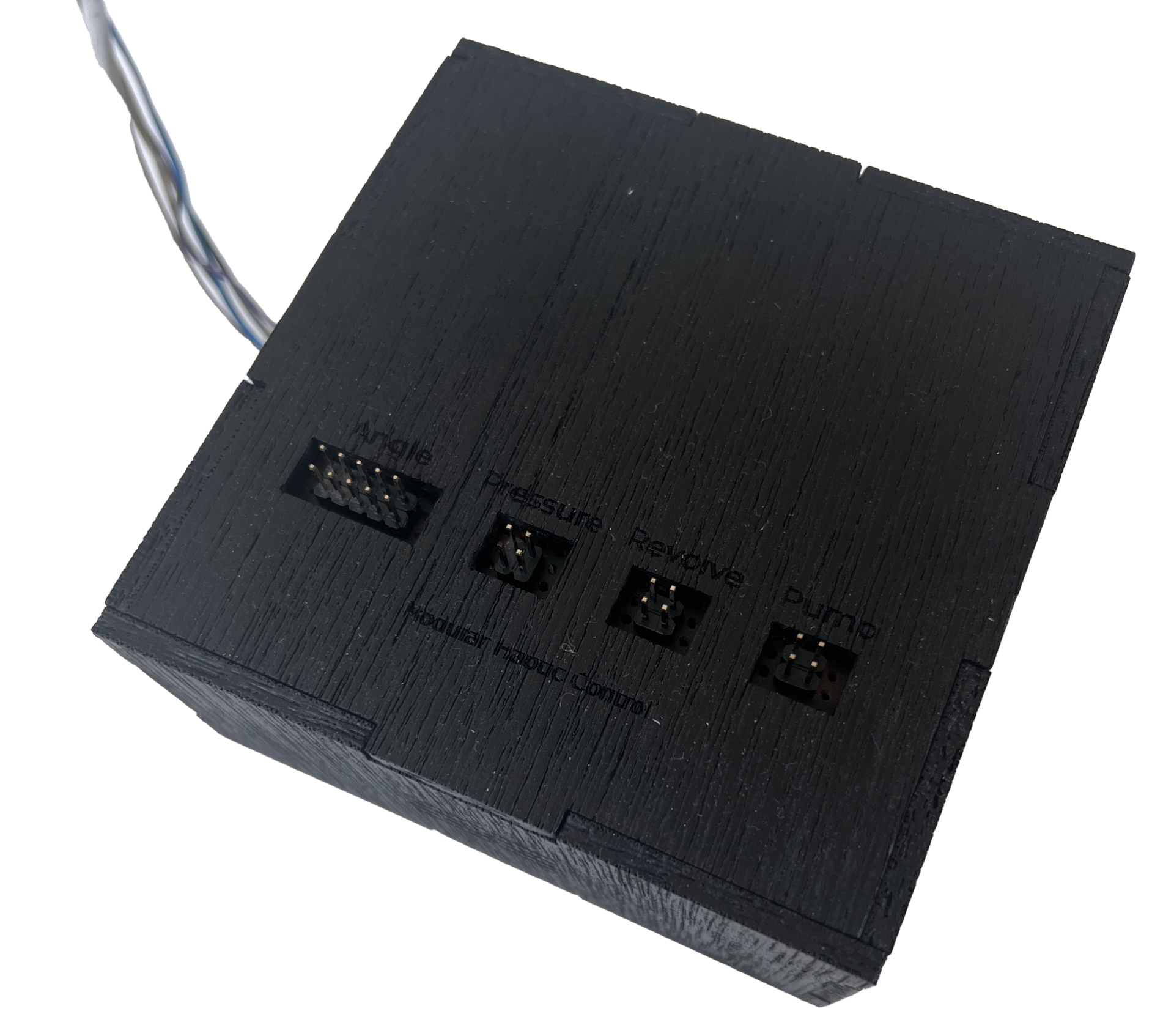
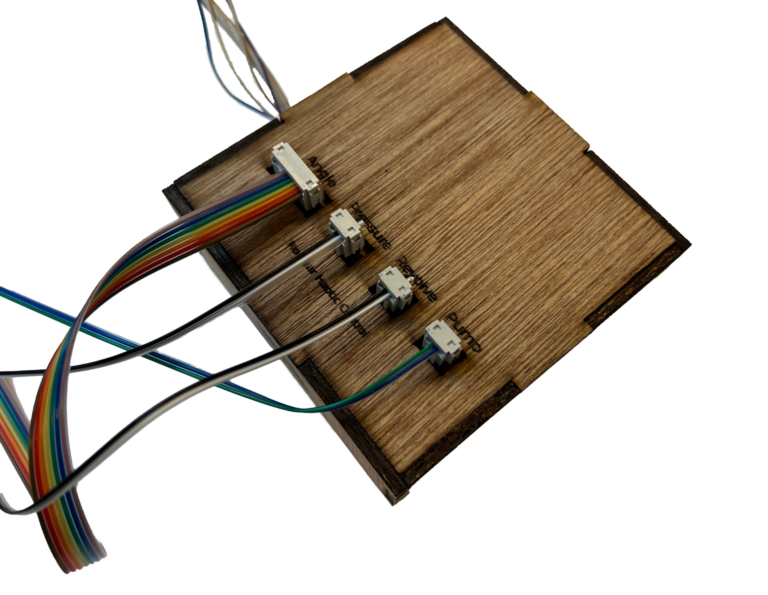
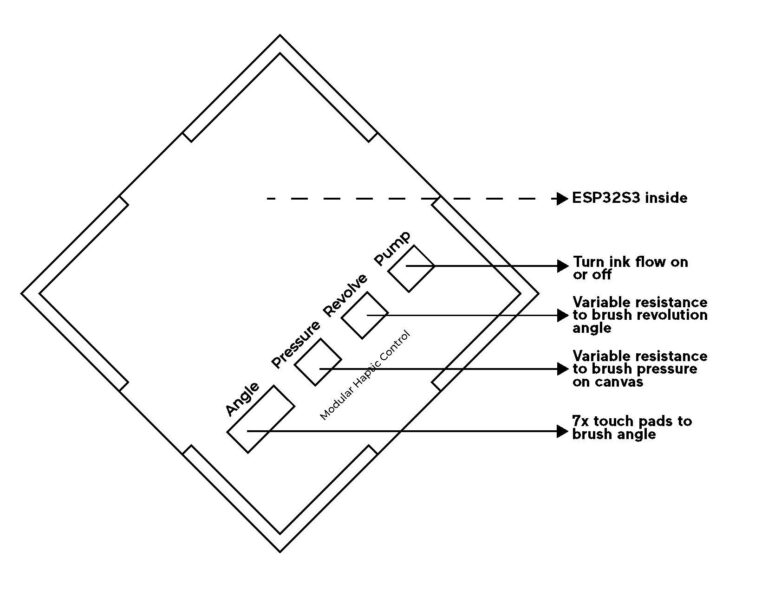
This system can be used with Modular, interactive input devices and allows craftspeople to use tactile input to control brush strokes and ink flow. It uses wireless communication to send the sensor input to the machine. You can connect 7x touch sensors, 2 analog sensors and one digital sensor using rectangular receptacle connectors, like in the image below.
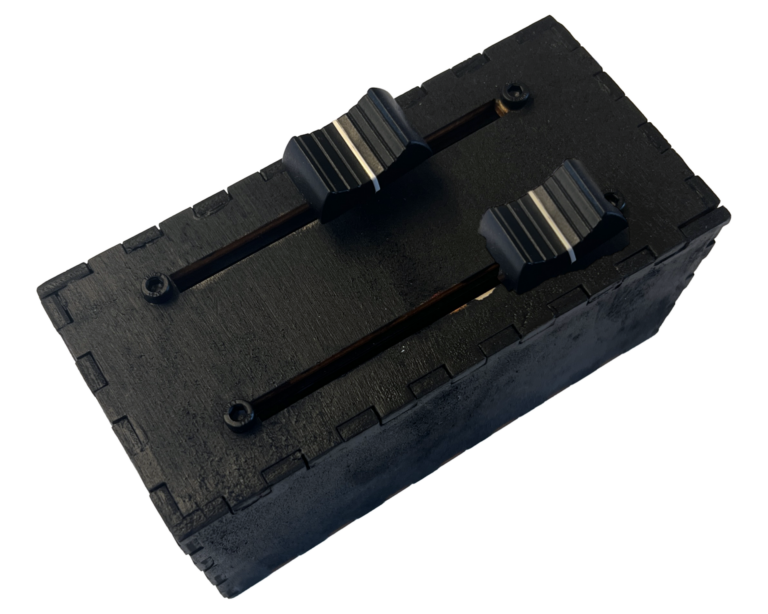
With this additional device, you can tune the sensitivity of the two analog sensors.
Technical visualisation
Code: interactive input sender
#include <esp_now.h>
#include <WiFi.h>


int touchAngle;              // variable to store servo angle in for the touch input to revolution angle
int squeezeSensorPin1 = A9;  // Squeeze sensor pin > up/down
int soundSensorPin2 = A10;   // Sound sensor pin > sweep
int buttonPin = D6;
#define NUM_TOUCH_PINS 7

int touchPins[NUM_TOUCH_PINS] = { T1, T2, T3, T4, T5, T6, T7 };
int touchThresholds[NUM_TOUCH_PINS] = { 110000, 110000, 110000, 110000, 110000, 110000, 110000 };
int mappedValues[13];  // Precompute the 13 values between 0 and 180

int sensorData1 = 0;
int sensorData2 = 0;

// Keeps track of the last pins touched
// so we know when buttons are 'released'
uint16_t lasttouched = 0;
uint16_t currtouched = 0;

// REPLACE WITH YOUR RECEIVER MAC Address: 64:e8:33:00:90:1c
uint8_t broadcastAddress[] = { 0x64, 0xe8, 0x33, 0x00, 0x90, 0x1c };

// Structure example to send data
// Must match the receiver structure
typedef struct struct_message {
  int id;  // must be unique for each sender board
  int revolution;
  int pressure;
  int sweep;
  int ink;
} struct_message;

// Create a struct_message called myData
struct_message myData;

esp_now_peer_info_t peerInfo;

// callback when data is sent
void OnDataSent(const uint8_t *mac_addr, esp_now_send_status_t status) {
  Serial.print("\r\nLast Packet Send Status:\t");
  Serial.println(status == ESP_NOW_SEND_SUCCESS ? "Delivery Success" : "Delivery Fail");
}

void setup() {
  // Init Serial Monitor
  Serial.begin(115200);
pinMode(buttonPin, INPUT_PULLUP);
  // Set device as a Wi-Fi Station
  WiFi.mode(WIFI_STA);

  // Init ESP-NOW
  if (esp_now_init() != ESP_OK) {
    Serial.println("Error initializing ESP-NOW");
    return;
  }

  // Once ESPNow is successfully Init, we will register for Send CB to
  // get the status of Transmitted packet
  esp_now_register_send_cb(OnDataSent);

  // Register peer
  memcpy(peerInfo.peer_addr, broadcastAddress, 6);
  peerInfo.channel = 0;
  peerInfo.encrypt = false;

  // Add peer
  if (esp_now_add_peer(&peerInfo) != ESP_OK) {
    Serial.println("Failed to add peer");
    return;
  }
}

void loop() {
  touchAngle = getTouchAngle();  // Call the function to update touchAngle
  if (touchAngle != -1) {
    Serial.println(touchAngle);  // Print the touchAngle to Serial Monitor
  }

  sensorData1 = analogRead(squeezeSensorPin1);
  sensorData2 = analogRead(soundSensorPin2);

  // Set values to send
  myData.id = 1;           // board number in case there will be more boards sending later
  myData.revolution = touchAngle;   // 0-180
  myData.pressure = sensorData1;  // 0-4095
  myData.sweep = sensorData2;  // 0-4095
  myData.ink = digitalRead(buttonPin);  // 0-1

  Serial.println(touchAngle);
  Serial.println(sensorData1);
  Serial.println(sensorData2);
  Serial.println(digitalRead(buttonPin));

  // Send message via ESP-NOW
  esp_err_t result = esp_now_send(broadcastAddress, (uint8_t *)&myData, sizeof(myData));

  if (result == ESP_OK) {
    Serial.println("Sent with success");
  } else {
    Serial.println("Error sending the data");
  }
  delay(50);
}

// determine if touch pins are touched and map to servo motor angle 0-180

int getTouchAngle() {
  int activePin = -1;
  int nextPin = -1;

  // Check which pin(s) are touched
  for (int i = 0; i < NUM_TOUCH_PINS; i++) {
    int touchValue = touchRead(touchPins[i]);
    if (touchValue > touchThresholds[i]) {
      if (activePin == -1) {
        activePin = i;
      } else {
        nextPin = i;
        break;  // We found two adjacent touches
      }
    }
  }

  if (activePin != -1) {
    if (nextPin != -1 && nextPin == activePin + 1) {
      // Calculate interpolated value between activePin and nextPin
      int interpolatedValue = map(activePin, 0, NUM_TOUCH_PINS - 1, 0, 180);
      int nextInterpolatedValue = map(nextPin, 0, NUM_TOUCH_PINS - 1, 0, 180);
      return (interpolatedValue + nextInterpolatedValue) / 2;
    } else {
      // Return mapped value for single touch
      return map(activePin, 0, NUM_TOUCH_PINS - 1, 0, 180);
    }
  }

  return -1;  // No touch detected
}